
AI/ML integration means building artificial intelligence into the systems you already run – your website, CRM, document archive, support inbox or internal tools – so that it does useful, measurable work instead of living in a separate chat window. A language model that classifies incoming emails, a search that answers questions from your own manuals, a forecasting model that tells purchasing what to reorder: these are integration problems first and AI problems second.
Contents
At CodeWiz we engineer the parts that make AI reliable in production: data pipelines, retrieval over your documents, carefully modelled context, structured outputs that downstream code can trust, evaluation, monitoring and cost control. We work with hosted models from OpenAI, Anthropic and Google as well as open-weight models such as Llama, Qwen and Mistral running on your own servers.
This service is for companies that have tried a proof of concept and now need it to work every day, for teams sitting on years of documents nobody can search properly, and for businesses in regulated or privacy-sensitive fields that cannot send data to a third-party API. If you want AI to answer to your business goals rather than to a demo, this is where we start.
For integration, open-source tools are the default when they fit the job.

AI Automation Workflows That Do Real Work
An AI automation workflow is a pipeline in which one or more steps are handled by a model: reading an invoice, classifying a ticket, extracting fields from a contract, summarising a call transcript, translating product descriptions or drafting a reply for human approval. The surrounding steps – fetching data, validating it, writing results to a database, notifying people – are ordinary, testable code.
A integration engagement starts from the system you already run.
Why it matters for your business
- Repetitive reading and sorting work that took hours per day runs in minutes, around the clock.
- Unstructured input (emails, PDFs, scans, chat logs) becomes structured data your systems can report on.
- People move from typing to reviewing, which is faster and catches more errors.
Structured outputs, not free text
The single most important technique is forcing the model to return data in a defined schema. Modern APIs and most open-weight serving stacks support JSON schema–constrained output, so the result is validated before it ever touches your database:
The integration work stays in your repository and on your infrastructure.
from typing import Literal
from pydantic import BaseModel
from openai import OpenAI

class Ticket(BaseModel):
    category: Literal["billing", "technical", "sales", "other"]
    urgency: int          # 1 (low) to 5 (critical)
    language: str
    summary: str

# Any OpenAI-compatible endpoint: OpenAI, vLLM or Ollama
client = OpenAI(base_url="http://localhost:8000/v1", api_key="local")

resp = client.chat.completions.parse(
    model="Qwen/Qwen2.5-14B-Instruct",
    messages=[{"role": "system", "content": "Classify the support email."},
              {"role": "user", "content": email_text}],
    response_format=Ticket,
)
ticket = resp.choices[0].message.parsed
Around this core we add what production needs: a queue so large batches do not hit rate limits, retries with backoff, confidence thresholds that route uncertain cases to a person, idempotent writes so a re-run never creates duplicates, and logging of every input and output for audits. Where a workflow mainly connects SaaS tools, we often orchestrate it in n8n and keep the AI step as a small, well-tested service.
CodeWiz reviews integration in production, not only in a demo.
RAG Systems That Answer From Your Own Data
Retrieval-augmented generation (RAG) lets a model answer from your documents instead of from its training data: relevant passages are retrieved first, then passed to the model together with the question. We have already explained the concept and the role of prompts in our article on RAG, prompt engineering and large-scale automation; here we focus on the engineering that decides whether a RAG system is trusted or ignored.
Ingestion is half the work
- Parsing PDFs, Word files, HTML, spreadsheets and scanned documents (with OCR) into clean text that keeps headings, tables and page numbers.
- Chunking by document structure rather than fixed character counts, with metadata such as source, date, department and access level attached to every chunk.
- Incremental re-indexing, so a changed policy document replaces its old version instead of contradicting it.
Retrieval that actually finds the answer
Pure vector search misses exact terms such as product codes, article numbers and names. We combine dense embeddings with keyword search (BM25) in a hybrid query, then re-rank the top candidates with a cross-encoder before anything reaches the model. Permission filters run inside the query, so users only ever retrieve documents they are allowed to see. Answers cite their sources, which is what makes people trust them.
CREATE EXTENSION IF NOT EXISTS vector;

CREATE TABLE chunks (
  id         bigserial PRIMARY KEY,
  doc_id     bigint NOT NULL,
  tenant_id  int    NOT NULL,
  content    text   NOT NULL,
  embedding  vector(1024)
);
CREATE INDEX ON chunks USING hnsw (embedding vector_cosine_ops);

-- nearest chunks, restricted to what this tenant may see
SELECT id, doc_id, content
FROM chunks
WHERE tenant_id = $1
ORDER BY embedding <=> $2
LIMIT 20;
Choosing a vector store
| Option | Strengths | Best for | Trade-offs |
|---|---|---|---|
| PostgreSQL + pgvector | One database for data and vectors, SQL filters, transactions | Most business apps up to millions of chunks | Hybrid search needs extra work; tuning at very large scale |
| Typesense | Keyword, vector and hybrid search in one engine, typo tolerance | Site and product search with semantic features | Data lives in RAM; less suited to huge archives |
| Qdrant | Fast filtering, quantization, simple API, open-source | Dedicated vector workloads, multi-tenant RAG | One more service to run and back up |
| Elasticsearch / OpenSearch | Mature full-text search plus vectors, aggregations | Teams that already run it for logs or search | Heavier to operate and tune |
If your search also faces customers, we often reuse the same engine – our article on Typesense search that converts shows why it is a strong candidate. The pgvector documentation covers index types and tuning in depth.
Context Modeling: Giving the Model the Right Information
Context modeling (often called context engineering) is the discipline of deciding exactly what a model sees on every call: instructions, retrieved documents, user and account data, conversation history, tool results and examples. Models are only as good as their context. Too little and they guess; too much and they get slower, more expensive and measurably worse at using information buried in the middle of a long prompt.
What we design
- A context budget: a fixed token allowance per section (instructions, facts, history, retrieved passages), so costs and latency stay predictable.
- Structured facts: customer tier, open orders or contract terms injected as compact, labelled data from your database instead of pasted text.
- Memory: long conversations summarised into running notes, with key decisions stored as structured records rather than an ever-growing transcript.
- Stable prefixes: system instructions and reference data ordered so provider-side prompt caching can cut cost and latency on repeated calls.
- Domain models: for complex domains (products with variants, legal clauses, technical assets) a lightweight entity graph that retrieval can follow, not just a pile of text chunks.
Long context or retrieval?
Context windows of hundreds of thousands of tokens tempt teams to send everything every time. For a one-off analysis of a single large document that is fine. For a system answering thousands of questions a day, targeted retrieval with a tight context is cheaper, faster and easier to debug, because you can see exactly which passages led to which answer.
Local AI Deployment: Private Models on Your Own Hardware
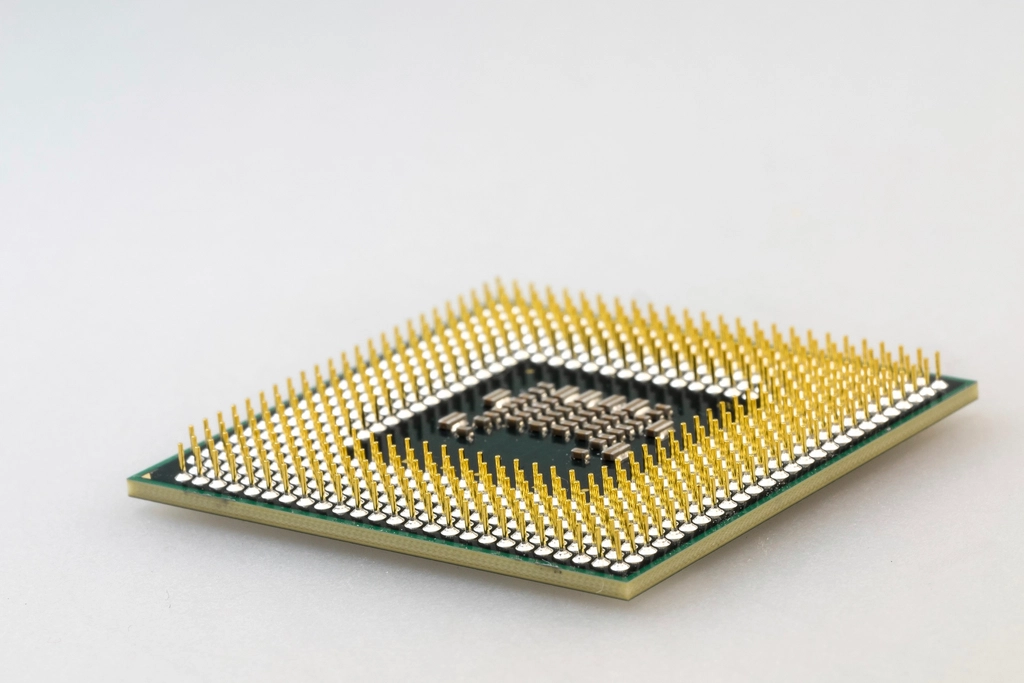
Local AI deployment means running open-weight models on servers you control – on-premises, in a private cloud or on a dedicated GPU server – so prompts and documents never leave your infrastructure. We cover the business case, security and hardware planning in detail in our guide to local AI model hosting. In integration projects, the practical questions are which serving stack to use and how to size it.
Serving stacks compared
| Stack | Ease of setup | Throughput | Best for |
|---|---|---|---|
| Ollama | Very easy | Moderate | Internal tools, prototypes, a handful of concurrent users |
| llama.cpp server | Easy | Moderate | CPU or mixed CPU/GPU machines, GGUF-quantized models |
| vLLM | Medium | High (continuous batching, paged KV cache) | Production APIs with many parallel requests |
| Hugging Face TGI | Medium | High | Teams already standardised on the Hugging Face ecosystem |
Sizing and quantization
As a rough guide, a 7–8B parameter model quantized to 4 bits fits in about 5–6 GB of VRAM, while a 70B model at 4 bits needs around 40 GB before you account for the KV cache of long contexts and parallel users. Quantization formats such as GGUF, AWQ and GPTQ trade a small amount of quality for a large saving in memory, and we benchmark them on your real tasks rather than trusting leaderboards. All of these stacks expose an OpenAI-compatible API, so your application can switch between a local model and a hosted one with a configuration change:
vllm serve Qwen/Qwen2.5-14B-Instruct-AWQ \
  --max-model-len 16384 \
  --gpu-memory-utilization 0.90 \
  --host 127.0.0.1 --port 8000
We run inference servers in containers behind an authenticated reverse proxy, never exposed directly to the internet, with GPU metrics and request logs feeding your monitoring. The vLLM documentation lists supported models and quantization options.
Cloud APIs, Open-Weight Models or Classic Machine Learning?
Not every problem needs a large language model. Choosing the right kind of model is often the biggest cost decision in an AI/ML integration project:
| Approach | Strengths | Weaknesses | Typical use |
|---|---|---|---|
| Hosted frontier models (API) | Best reasoning quality, no hardware, fast start | Per-token cost, data leaves your network, provider dependency | Complex reasoning, low or variable volume |
| Open-weight models (self-hosted) | Data stays private, fixed cost at volume, full control | GPU investment, operations work, slightly lower quality at the top end | High volume, sensitive data, offline environments |
| Classic ML (scikit-learn, XGBoost) | Cheap, fast, explainable, tiny infrastructure | Needs labelled historical data, narrow tasks | Forecasting, scoring, churn and anomaly detection on tabular data |
Many good systems mix all three: a gradient-boosted model predicts demand, a small local model extracts fields from documents, and a hosted model handles the rare complex case.
Evaluation, Monitoring and Cost Control
- Golden test sets: real questions and documents with known correct answers, run automatically whenever a prompt, model or retrieval setting changes.
- RAG metrics: retrieval recall, answer faithfulness to sources and citation accuracy, measured with tools such as Ragas or custom LLM-as-judge checks reviewed by people.
- Tracing: every call logged with inputs, retrieved context, outputs, latency and token usage, using Langfuse or OpenTelemetry-based tooling.
- Cost guards: per-feature budgets, caching of repeated queries, smaller models for simple steps and alerts when spending drifts.
Data Privacy, GDPR and Responsible AI
Personal data in prompts is still personal data under GDPR. We minimise what is sent to models, mask or pseudonymise identifiers where possible, choose providers with data processing agreements and no training on your data, and keep sensitive workloads on local models. We also document what each AI component does, which data it uses and how humans can override it – the kind of transparency the EU AI Act expects, and simply good engineering.
Common AI Integration Mistakes We Fix
- Parsing free-text model output with regular expressions instead of using schema-constrained responses.
- Indexing whole documents as single chunks, or chunking blindly every 500 characters through the middle of tables.
- No evaluation set, so nobody can tell whether a new prompt or model is better or worse.
- Ignoring document permissions, letting a RAG assistant reveal HR or finance files to everyone.
- Sending the entire conversation history on every call until costs explode and answers degrade.
- Exposing a local inference server on a public port without authentication.
How We Work
- Discovery: we map the process, data sources, volumes, privacy constraints and what a good result looks like in numbers you already track.
- Prototype and evaluation set: we build a small working version on your real data together with a test set, so quality is measured from day one.
- Architecture: we choose models, hosting (cloud, local or hybrid), the vector store and the integration points with your existing systems.
- Build: we implement pipelines, retrieval, context handling, structured outputs, APIs and admin tools, with tests around every AI step.
- Launch: we roll out gradually, often with human review first, and watch quality, latency and cost closely.
- Improve and support: we tune prompts and retrieval from real usage, update models as better ones appear and keep the infrastructure patched.
Why CodeWiz
- Full-stack AI, not just prompts: we build the databases, APIs, queues and servers around the model, so the whole system works – not only the demo.
- Cloud or local, your choice: we work with hosted APIs and with open-weight models on your own hardware, and recommend whatever fits your data and budget.
- Open-source first: pgvector, Qdrant, Typesense, vLLM and Ollama keep you free of lock-in and licence fees.
- Tailored solutions: if a simple classifier solves the problem, we will not sell you an LLM platform.
- Fair pricing: premium development without premium prices from a Banja Luka team working remotely with clients locally and internationally – read more about CodeWiz.
Frequently Asked Questions
How much does AI/ML integration cost?
It depends on the number of data sources, the volume of requests, whether models run in the cloud or locally, and how deeply the result has to be integrated into existing systems. A focused workflow or internal RAG assistant is a modest project; a multi-department platform with local GPUs is a larger one. We give a clear estimate after discovery and a prototype.
Is our data safe if we use AI?
It can be. We minimise and mask personal data, use providers that do not train on your data, enforce document permissions in retrieval, and for sensitive workloads run models entirely on your own infrastructure so nothing leaves your network.
Do we need to train our own model?
Rarely. Most business use cases are solved with a good existing model plus retrieval over your data and well-designed context. Fine-tuning makes sense for narrow, high-volume tasks with consistent formats, and we only recommend it when evaluation shows a clear gain.
How long does a RAG project take?
A first working version on a defined document set can usually be ready within a few weeks, including an evaluation set. Larger projects with many sources, OCR, permissions and integrations take longer, mostly because of data preparation and testing.
Which models do you use?
Whatever performs best on your task within your constraints: hosted models from OpenAI, Anthropic or Google, or open-weight models such as Llama, Qwen and Mistral served locally. Because we build on OpenAI-compatible interfaces, switching models later is a configuration change, not a rewrite.
Ready to Put AI to Work in Your Business?
Tell us which process, documents or data you want AI to handle, and we will propose an architecture that fits your privacy requirements and budget. Contact us to discuss your project, or explore our AI/ML integration services.