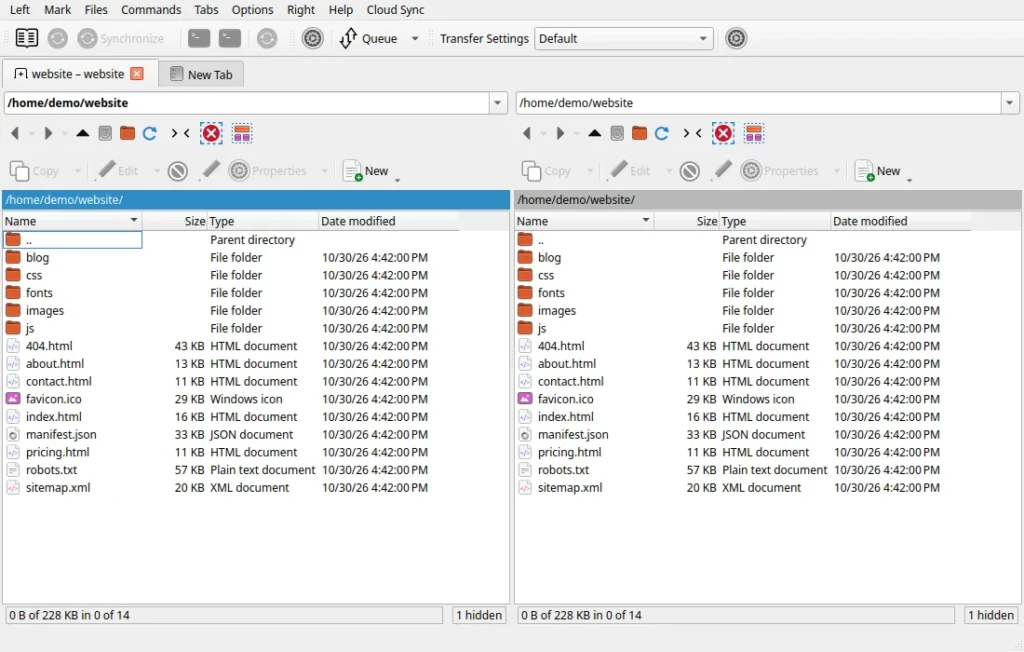
NixSCP is WinSCP for Linux and Mac, made for people who no longer sit at a Windows desk. It is a free, open-source file transfer client for Linux and macOS, also available for Windows, with the WinSCP Commander window you already know: two panels, the same dialogs, the same F5 Copy and F6 Move, and the same WinSCP.ini settings. We built it at CodeWiz, and it is free to download at nixscp.com.
Contents
WinSCP is one of the best tools ever written for moving files to servers, but it only runs on Windows. Developers and system administrators who moved to Ubuntu, Fedora or a Mac usually end up with a mix of FileZilla, a terminal, and WinSCP inside Wine. NixSCP replaces that mix with one application that behaves the way WinSCP does.
This post explains what NixSCP does, what it adds on top of WinSCP, and who it is for. It is written for people who manage websites and servers: agencies, freelancers, small IT teams and anyone who keeps a list of SFTP sites.
What NixSCP is
NixSCP is a native rewrite of WinSCP’s open-source code in C++ and Qt 6. It is not a Wine wrapper and not a look-alike. The Commander layout, the Login and Site Manager dialogs, the transfer queue, Synchronize, Keep Remote Directory up to Date, Find Files and Preferences come from WinSCP and keep its captions, defaults and keyboard shortcuts.
- Protocols: SFTP, SCP, FTP and FTPS, WebDAV and Amazon S3, including S3-compatible storage.
- Keys: PuTTY
.ppkfiles (versions 2 and 3) and OpenSSH keys work as they are, together with ssh-agent, passwords and keyboard-interactive login. - Settings: sites, folders, stored passwords, workspaces, bookmarks, custom commands and transfer presets live in WinSCP’s own
WinSCP.iniformat, with the same key names. - Scripting:
nixscp-cliruns WinSCP scripts with the same commands, switches and exit codes aswinscp.com. - Languages: WinSCP’s translations are included, 55 languages, chosen from your system language.
It is fast where it matters: SFTP transfers are pipelined, large downloads can be split into parallel segments, and background transfers run in the queue while you keep browsing.
Why we built it
We work on Linux every day, and our clients’ servers are full of WordPress, Laravel and Node.js projects reached over SSH. The terminal is great for most of that work, but some jobs are simply faster in a two-panel window: comparing a local build with the server, fixing permissions on a folder, pulling one log file, or editing a config file in place. WinSCP did those jobs best, and it was the one tool we kept missing after leaving Windows.
Running WinSCP under Wine works for simple transfers, but files then appear under a Windows drive letter, dialogs look out of place, and your own ssh-agent and ~/.ssh/config are ignored. We wanted the real thing, native, with our existing WinSCP sites imported in one step.
Linux, macOS and Windows
NixSCP started on Linux and now runs on all three systems from one codebase, so a fix lands everywhere at once.
- Linux: packages for Ubuntu 26.04, Debian 13 and Fedora 42 and 43, plus an AppImage for other distributions. It works with GNOME, KDE Plasma and XFCE, on Wayland and X11, with the desktop Trash and
sftp://links. - macOS: one universal app for Apple Silicon and Intel Macs, macOS 12 or newer, with the macOS menu bar, Finder and Terminal.app. The first macOS release is not yet signed by Apple; we are working on it. Until then, the first start needs right-click and Open. The source code and the public build are open for review.
- Windows: an installer or a portable zip for Windows 10 and 11, for people who use NixSCP on more than one system and want the same sites everywhere.
Moving over from WinSCP
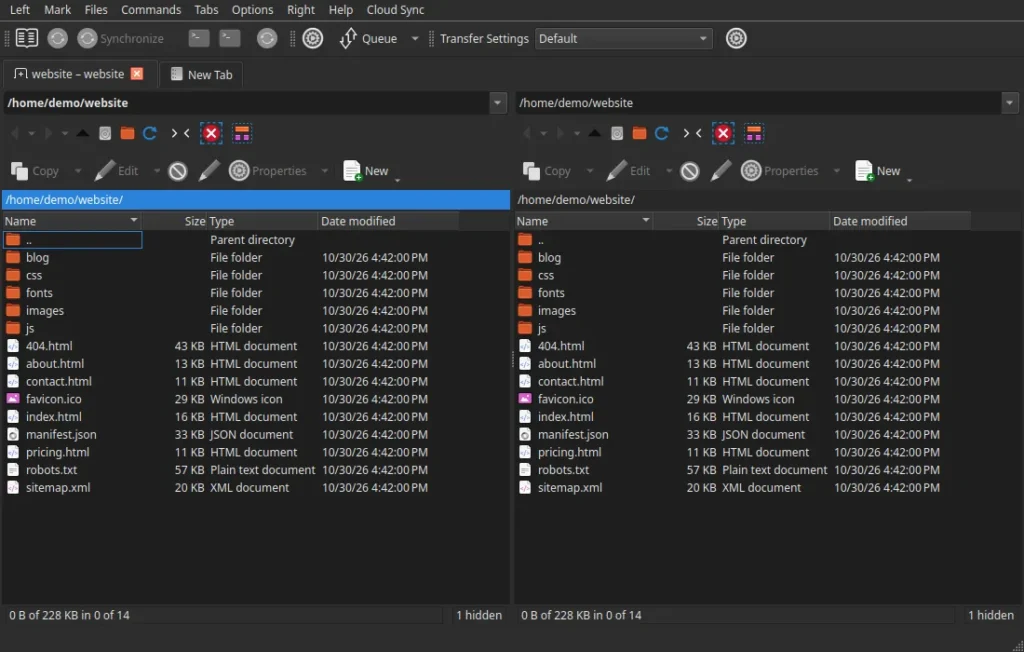
Moving takes about a minute. Export your configuration from WinSCP (Tools, Export/Backup Configuration) or copy a portable WinSCP.ini, then import it in NixSCP. Registry exports (.reg) work too. Sites, folders, stored passwords and private key paths come across, and settings NixSCP does not use are kept untouched, so a file can go from WinSCP to NixSCP and back without losing anything.
You can also import PuTTY sessions, your OpenSSH ~/.ssh/config and known_hosts, and the FileZilla Site Manager. Existing WinSCP scripts usually run unchanged: replace winscp.com with nixscp-cli, for example nixscp-cli /script=deploy.txt /log=deploy.log, and schedule them with cron, systemd timers, launchd or CI.
AI agents without your SSH passwords
AI coding agents such as Claude Code and Codex are useful on servers: they can check a disk, read a log or restart a service. The usual way to let them do it is to hand over a password or a private key, which then sits in a prompt, a config file or a chat history. NixSCP offers another way, called Agent Access, and it is free.
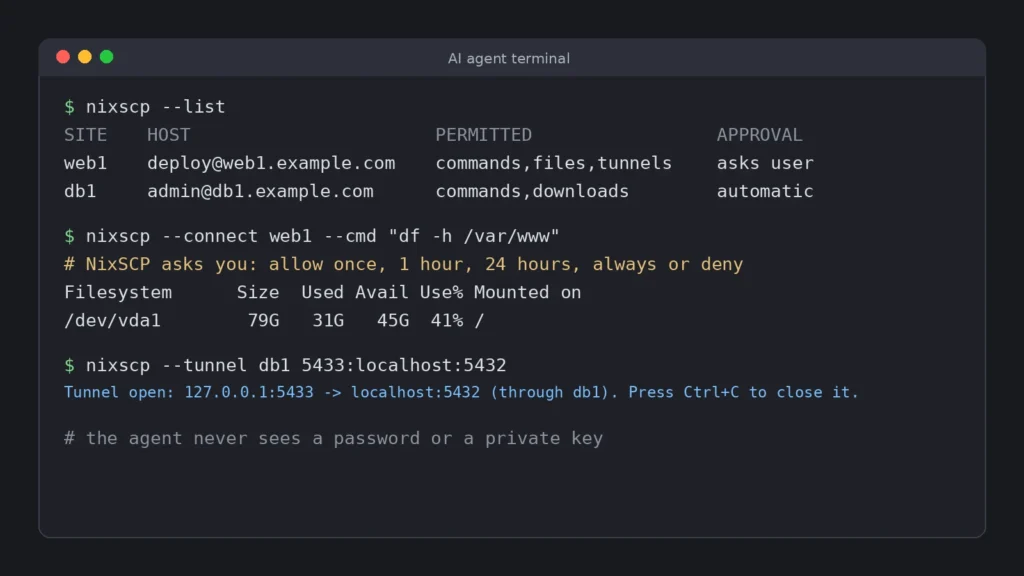
You enable it per site with the Agent Access button in the site settings. The agent then uses simple commands: nixscp --list shows the sites it may use, nixscp --connect web1 --cmd "df -h" runs one command, --get and --put transfer files, and --tunnel opens a port forward. The running NixSCP makes the SSH connection with the stored credentials, so the agent never sees a password or a key.
- Approval: a site can be allowed, or set to ask you each time, with the choice to allow once, for 1 hour, for 24 hours or always.
- Limits per site: commands, downloads only, uploads and tunnels can each be switched off, and command rules can allow or deny patterns, for example a read-only set.
- Records: every request goes to an audit log, and sessions can be recorded.
- MCP:
nixscp --mcpoffers the same access to MCP clients such as Claude Code as tools.
SSH tunnels with one click
A database or an admin panel that only listens on the server is easy to reach with a tunnel, but typing ssh -L commands gets old. In NixSCP you save port forwards per site, for example the server’s MySQL on 127.0.0.1:3307, and start or stop them from the Tunnels menu. The status bar shows which tunnels are running. Tunnels listen on your own computer only, and they are free.
Encrypted sync and shared team sites
NixSCP Pro keeps your sites, stored passwords, preferences, workspaces, bookmarks and open tabs the same on every computer, whether that is Linux, macOS or Windows. Everything is encrypted on your computer first with your NixSCP password (Argon2id and AES-256-GCM), and the server stores only ciphertext. The same password also encrypts the whole local configuration file, with a recovery key as a fallback, and exports can still be plain WinSCP files.
Teams adds shared site folders for colleagues, end-to-end encrypted, with owner, admin and member roles and one-time invite codes. When someone leaves the team, the team key is renewed and the shared sites disappear from their NixSCP. Sync and Teams are free during the public beta.
Open source, and following WinSCP
NixSCP is licensed under the GPL-3.0, like WinSCP, and the whole application is on GitHub. Release packages are built in public by GitHub Actions. Because NixSCP is a port, WinSCP’s later bug fixes and security fixes matter to it, so a daily job opens a review issue for every new commit in the official WinSCP repository, and each one is ported or closed as not applicable by hand.
NixSCP is an independent project. It is not affiliated with or endorsed by the WinSCP project, and on Windows, WinSCP itself remains the original.
How to start
- Download the package for your system from nixscp.com/download. On macOS, right-click NixSCP and choose Open the first time.
- Import your sites from
WinSCP.ini, a registry export, PuTTY, FileZilla or~/.ssh/config. - Connect and work as in WinSCP: F5 to copy, F6 to move, F7 for a new folder, F4 to edit a remote file.
- Turn on Agent Access for the sites an AI agent may use, and pick how it should ask you.
- Save tunnels for the databases and panels you open every week.
- Sign in to NixSCP Pro if you want the same sites on your other computers or shared with your team.
Why CodeWiz
- We use it ourselves. CodeWiz was founded in 2023 by Dragan Plavšić in Banja Luka. NixSCP is the tool we use every day on client servers, so its rough edges get fixed quickly.
- Built for small teams. Shared sites, approvals for AI agents and encrypted sync are aimed at agencies and IT teams of a few people, not at a large enterprise rollout.
- Hosting and security next to the tool. We run hosting, Cloudflare and security reviews for clients, so features such as tunnels and Agent Access come from real server work.
- Open-source first, priced fairly. The application is free and open source. NixSCP Pro pays for the sync service, and it is free while it is in beta.
Frequently asked questions
Is NixSCP the same as WinSCP?
No. It is an independent port of WinSCP’s open-source code with the same interface and settings format. It is not made or endorsed by the WinSCP project.
Is it free?
Yes. The application, including Agent Access, MCP and tunnels, is free and open source under the GPL-3.0. Cloud sync and Teams are part of NixSCP Pro and free during the beta.
Does it need Wine?
No. NixSCP is a native application on Linux and macOS, built with Qt 6, libssh and OpenSSL.
Why is the macOS app not signed?
Signing and notarization require an Apple Developer account, which we are setting up. Until then macOS asks you to confirm the first start. The source code and the build that produced the app are public, so you can check both.
Can an AI agent see my passwords?
No. With Agent Access the agent asks NixSCP to run a command or transfer a file, and NixSCP makes the connection. The password or key stays in NixSCP, and you decide per site what the agent may do.
Download NixSCP
Download NixSCP for Linux, macOS or Windows at nixscp.com, and read the guides in the documentation. If your team wants help moving from WinSCP, setting up Agent Access for AI agents, or tightening SSH access on your servers, contact us, or see our wider services around hosting, security and the applications themselves.