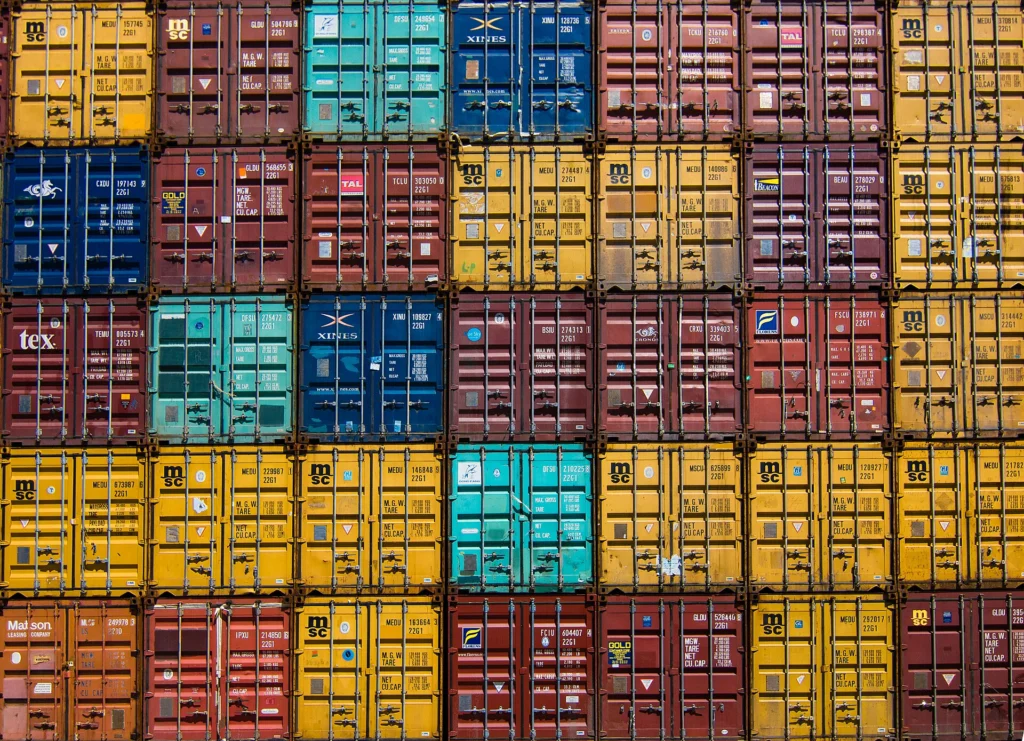
Docker containerization packages your application, its runtime and every dependency into a portable image that runs the same way on a developer’s laptop, a CI runner and a production server. That one property removes a whole class of problems: “works on my machine” bugs, servers nobody dares to touch, onboarding that takes days, and deployments that depend on one person remembering the right sequence of commands.
Contents
At CodeWiz we design and build container setups for web applications, APIs, background workers and databases – from a clean Docker Compose stack on a single VPS to multi-node orchestration with automated rollouts. We write production-grade Dockerfiles, slim down images, wire up CI/CD and secrets, and hand over documentation your team can actually use.
This service is for startups preparing to scale, agencies juggling client projects that need different PHP and Node.js versions, and companies running legacy applications that have to move to new infrastructure without a rewrite. If your deployments are slow, risky or tied to one specific server, containers are usually the most cost-effective fix.

Multi-Stage Docker Builds That Keep Production Lean
A multi-stage build uses several FROM instructions in one Dockerfile. Early stages contain compilers, package managers and development dependencies; the final stage copies in only the built artefacts. The result is a production image with no build toolchain, no test fixtures and no leftovers from the build process.
Why it matters for your business
- Smaller images pull and start faster, which shortens deployments and makes autoscaling react sooner.
- Fewer packages mean fewer vulnerabilities for scanners to flag and fewer tools for an attacker to abuse.
- One Dockerfile describes test, build and runtime, so CI and production never drift apart.
What a production Dockerfile looks like
Here is a condensed version of the pattern we use for a Node.js service. BuildKit cache mounts keep npm downloads between builds, and the runtime stage is a distroless image running as a non-root user:
# syntax=docker/dockerfile:1
FROM node:22-alpine AS deps
WORKDIR /app
COPY package.json package-lock.json ./
RUN --mount=type=cache,target=/root/.npm npm ci

FROM deps AS build
COPY . .
RUN npm run build && npm prune --omit=dev

FROM gcr.io/distroless/nodejs22-debian12 AS runtime
WORKDIR /app
COPY --from=build /app/node_modules ./node_modules
COPY --from=build /app/dist ./dist
USER nonroot
EXPOSE 3000
CMD ["dist/server.js"]
The same approach works for Laravel (Composer and frontend asset stages, then a PHP-FPM or FrankenPHP runtime), Go and Rust (compile, then copy a static binary into scratch), Python (build wheels into a virtualenv and copy only the virtualenv) and Java (a Maven or Gradle stage followed by a slim JRE). We also add named targets, so docker build --target test runs your test suite in CI against exactly the same dependencies as production. Docker’s official multi-stage builds guide covers the syntax in depth.
Docker Image Optimization: Smaller, Faster, Safer Images
Image optimization is where most existing Docker setups leave easy wins on the table. An image built naively on a full language base can easily exceed 1 GB; the same application on a slim or distroless base with a clean build context is often several times smaller. We optimize along three axes: size, build speed and security.
Choosing the right base image
| Base image | Approx. size | Shell and package manager | Best for | Watch out for |
|---|---|---|---|---|
| Debian slim | ~75 MB | Yes (apt) | Maximum compatibility, glibc-dependent libraries | Larger attack surface |
| Alpine | under 10 MB | Yes (apk) | Small general-purpose images | musl libc differences with some native modules and wheels |
| Distroless | ~2–20 MB plus runtime | No | Production runtimes for Node.js, Python, Java, Go | Debugging needs a debug tag or ephemeral containers |
| scratch | 0 MB | No | Statically compiled Go or Rust binaries | You must copy CA certificates and timezone data yourself |
Layer caching and build speed
- Order instructions from least to most frequently changing: system packages, then lockfiles and dependency install, then application code.
- Keep a strict
.dockerignorethat excludes.git,node_modules, logs, local.envfiles and test data – a smaller build context, faster builds and no leaked secrets. - Use BuildKit cache mounts for npm, Composer, pip and apt, plus a registry or GitHub Actions build cache (
--cache-to type=registry) so CI runners never rebuild from zero. - Install and clean up in the same
RUNlayer, because deleting files in a later layer does not shrink the image.
Scanning, pinning and SBOMs
Every image we ship is scanned with Trivy in the pipeline: trivy image --severity HIGH,CRITICAL --exit-code 1 fails the build before a vulnerable image reaches the registry. We pin base images to specific versions (or digests in strict environments), let Renovate or Dependabot propose base image updates, and generate SBOMs and sign images with cosign when compliance requires it.
Docker Compose Setup for Development and Production
Docker Compose describes a multi-container application – app, database, cache, queue worker, reverse proxy – in one declarative compose.yaml file. For many businesses a well-built Compose stack on one server is all the infrastructure they need; for others, it is the local development environment that mirrors a larger production cluster.
One file, several environments
We structure Compose so the base file stays identical everywhere and the differences live in overrides and profiles: compose.override.yaml for local bind mounts and debug ports, profiles for optional tools such as Mailpit or Adminer that start only with --profile dev, and Compose Watch for hot reload without manual rebuilds. A new developer runs one command and has the full stack up in minutes.
services:
  app:
    build: .
    depends_on:
      db:
        condition: service_healthy
    deploy:
      resources:
        limits: { cpus: "1.0", memory: 512M }
  db:
    image: postgres:17-alpine
    environment:
      POSTGRES_PASSWORD_FILE: /run/secrets/db_password
    secrets: [db_password]
    volumes: [pgdata:/var/lib/postgresql/data]
    healthcheck:
      test: ["CMD-SHELL", "pg_isready -U postgres"]
      interval: 10s
  mailpit:
    image: axllent/mailpit
    profiles: [dev]
secrets:
  db_password: { file: ./secrets/db_password.txt }
volumes:
  pgdata:
What we take care of
- Healthchecks on every service and
depends_onwithcondition: service_healthy, so the app never starts before the database accepts connections. - Secrets mounted as files under
/run/secretsinstead of plain environment variables baked into images or committed to Git. - CPU and memory limits, restart policies and log rotation, so one runaway container cannot take down the whole server.
- Named volumes with a tested backup and restore routine for databases and uploads.
- A reverse proxy (Traefik, Caddy or Nginx) with automatic TLS, and a CI job that pulls new images and restarts services with minimal downtime.
The official Docker Compose documentation is a good reference for the full file specification.

Container Orchestration: Docker Swarm vs Kubernetes vs Nomad
Container orchestration takes over when one server is no longer enough. It schedules containers across nodes, restarts failed ones, performs rolling updates, balances traffic and manages configuration and secrets centrally. The right orchestrator depends far more on your team and traffic than on what is fashionable.
| Option | Learning curve | Operational overhead | Sweet spot |
|---|---|---|---|
| Docker Compose (single host) | Low | Minimal | One server, small to medium traffic, simple failover via backups |
| Docker Swarm | Low | Low | A few nodes, high availability without new tooling – reuses Compose files |
| Kubernetes (k3s or managed) | High | Medium to high | Many services, autoscaling, multiple teams, rich ecosystem |
| HashiCorp Nomad | Medium | Low to medium | Mixed workloads (containers, binaries, VMs) with a simpler model than Kubernetes |
How we choose
We start from requirements, not tools: expected traffic, availability targets, team size and who will operate the platform after handover. A common path is Compose on one server, then Swarm or k3s on a few nodes, then managed Kubernetes (EKS, GKE or DigitalOcean Kubernetes) once autoscaling, many services or several teams justify the overhead. We have written separately about deployment strategies across DigitalOcean, AWS, Hetzner and bare metal.
Kubernetes done properly
- Readiness and liveness probes (Kubernetes ignores the Dockerfile
HEALTHCHECK), resource requests and limits, and pod disruption budgets. - Helm charts or Kustomize overlays per environment, deployed through GitOps with Argo CD or Flux.
- Horizontal Pod Autoscaler, an ingress controller with cert-manager for TLS, and network policies between services.
- Centralized logs, Prometheus and Grafana metrics, and external uptime checks – for smaller setups a self-hosted uptime monitor already covers the basics.
Container Security and Hardening
Containers isolate processes, but default settings are not a complete security boundary. Hardening is part of every setup we deliver:
- Non-root users in every image, and Docker rootless mode or Podman on hosts where it fits.
- Read-only root filesystems,
--cap-drop ALLwith only the capabilities a service really needs, andno-new-privileges. - No secrets in images or build arguments: BuildKit secret mounts at build time, Docker or Kubernetes secrets (or a vault) at runtime.
- The Docker socket is never mounted into application containers – that is effectively root access to the host.
- Private registries (GitHub Container Registry, GitLab, AWS ECR or self-hosted Harbor) with access control and retention policies.
- Separate networks, so only the reverse proxy is public and databases never expose ports to the internet.
Containers also make excellent throwaway sandboxes for development – the same idea behind our guide on protecting your development environment from malicious npm packages.
Containerizing Existing and Legacy Applications
Most Docker work is not greenfield. We containerize existing WordPress and WooCommerce sites, Laravel and plain PHP applications, Node.js APIs, Python scrapers and AI services, usually with no code changes beyond configuration.
- Configuration moves to environment variables, and state (uploads, sessions, cache) moves out of the container into volumes, object storage or Redis.
- Old PHP or Node.js versions run side by side on one server, each in its own container, until an upgrade is planned.
- Applications log to stdout and stderr, so Docker and your log stack collect everything.
- Data is migrated with a rehearsed cutover plan and a clear rollback path.
GPU workloads fit too: with the NVIDIA Container Toolkit, local AI inference servers run in containers with the same reproducibility as the rest of your stack.
Common Docker Containerization Mistakes We Fix
- Using
latesttags in production, so a rebuild silently pulls a different base image. - Publishing database ports (
-p 5432:5432) on a public server. Docker writes its own iptables rules and bypasses UFW, so the port is open to the world. - Keeping data in the container’s writable layer and losing it when the container is recreated.
- One giant image with the app, cron, database and Nginx under supervisord instead of one process per container.
- No log rotation: the default
json-filedriver can quietly fill the disk. - Copying the whole repository before installing dependencies, which invalidates the cache on every commit.
- Passing secrets through
ENVorARG, where they remain visible in the image history.
What Drives the Cost of a Docker Containerization Project
Scope varies a lot between projects, so we estimate after a short audit rather than quoting blindly. The main cost drivers are predictable:
- The number of services and stateful components: databases, queues, file storage, scheduled jobs.
- The state of the codebase and how much configuration is hard-coded.
- The number of environments (development, staging, production) and how deeply CI/CD is integrated.
- The orchestration target – Compose on one server is far less work than a Kubernetes platform.
- Security and compliance requirements such as SBOMs, image signing or audit logging.
- One-off handover versus ongoing maintenance of images and infrastructure.
Containers are not always the answer. For a single WordPress site, a well-tuned server managed through an open-source hosting panel may be simpler and cheaper – and if that is the case, we will tell you.

How We Work
- Audit: we review your application, current servers, deployment process and pain points, and list every service, dependency and piece of state.
- Plan: we choose base images, the orchestration target, the registry, the secrets strategy and the CI/CD flow, and agree on scope with you.
- Build: we write multi-stage Dockerfiles, Compose files or Kubernetes manifests, and the pipeline that builds, scans and pushes images.
- Test: we verify parity with the old environment, run load and failover tests, and rehearse rollbacks and backup restores.
- Launch: we cut over with a staged or blue-green rollout, monitoring closely during the first hours.
- Support: we hand over documentation and runbooks, and can keep base images patched and the platform monitored afterwards.
Why CodeWiz
- Full-stack, not just ops: we build Laravel, Node.js, WordPress and AI applications ourselves, so we containerize them with an understanding of how the code behaves.
- Open-source first: Docker, Compose, k3s, Trivy, Traefik and Harbor keep you free of vendor lock-in and licence fees.
- Tailored, not one-size-fits-all: if Compose on one server is enough, we will not sell you a Kubernetes cluster.
- Fair pricing: premium development without premium prices, from a team based in Banja Luka working remotely with clients locally and internationally.
- Performance and security in the same hands: containers, Cloudflare, Varnish and server hardening are all part of what we do – learn more about CodeWiz.
Frequently Asked Questions
How much does Docker containerization cost?
It depends on the number of services, the state of the code and the orchestration target. Containerizing one web application with a database for Compose is a small project; a multi-service Kubernetes platform with GitOps is a much larger one. We give you a clear estimate after the initial audit, before any work starts.
How long does it take to containerize an existing application?
A typical single web application with a database and cache can often be containerized and deployed within days. Multi-service systems, data migrations and orchestration across several nodes usually take a few weeks, mostly because of testing and a careful cutover.
Do I need Kubernetes?
Probably not at first. Many production applications run reliably on Docker Compose or Swarm. Kubernetes pays off when you have many services, need autoscaling or have several teams deploying independently. We design images and configuration so a later move to Kubernetes is straightforward.
Is Docker secure enough for production?
Yes, when it is configured properly: non-root users, minimal base images, dropped capabilities, private networks, secrets outside images and regular vulnerability scanning. Most container incidents come from misconfiguration, not from Docker itself.
Will Docker slow down my application?
On Linux, containers use the host kernel directly, so CPU and memory overhead is negligible for typical web workloads. The slowness people notice usually comes from Docker Desktop file sharing on macOS or Windows during development, which we address with targeted bind mounts and Compose Watch.
Can you containerize WordPress or an old PHP application?
Yes. We regularly containerize WordPress, WooCommerce, Laravel and legacy PHP code, keeping uploads and databases in persistent volumes and running older PHP versions in isolation until you are ready to upgrade.
Ready to Containerize Your Application?
Tell us about your stack and where deployments hurt today, and we will propose a container setup that fits your team and budget. Contact us to discuss your project, or see the full scope of our Docker containerization services.